Arrays: An Overview
What is an Array?
A group of elements kept in consecutive memory regions, usually of the same data type, is called an array. It makes effective use of indices for element access. Arrays come in two main categories:
1. One-dimensional (1-D) arrays: A single index can be used to retrieve a linear succession of entries.
2. Multidimensional arrays:
Multidimensional arrays, such as: Two-dimensional (2-D) arrays:can be accessed using two indices and resemble a table with rows and columns.
Higher-dimensional arrays: Used for intricate data structures, these arrays go beyond two dimensions. Although their limited size can be a drawback, arrays are frequently utilized due to their ease of use and quick access times.
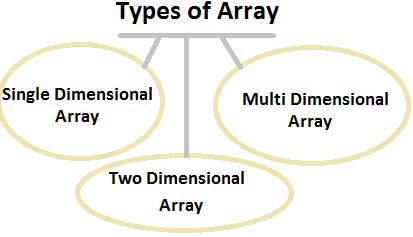
Types of Arrays
One-Dimensional Array (1-D Array)
A one-dimensional array is a linear data structure that stores elements in a single line, allowing for efficient access using indices. Elements are stored in contiguous memory locations, making traversal and access straightforward. Commonly used for storing sequences of data, such as lists or strings, a 1-D array is declared with a single index to reference each element.For Example:
int a[5] = {1, 2, 3, 4, 5};
Two-Dimensional Array (2-D Array)
A two-dimensional array is a grid-like data structure that stores elements in rows and columns. Each element can be accessed using a pair of indices, one for the row and one for the column. This array type is useful for representing matrices, tables, or other structured data. Declared with two indices, a 2-D array facilitates complex data operations and multi-dimensional data storage.For example:
int arr[2][3] = {
    {1, 2, 3},
    {4, 5, 6}
};
Multidimensional Array
A data structure called a multidimensional array is used to store elements in a grid-like manner that has more than one dimension, such as two, three, or more. Complex data can be stored since each dimension represents a level of nested arrays. Multiple indices are needed for access to elements, one for each dimension. This makes it easier to organize data into matrices, cubes, and other complex structures.For example, a 3-D array:
int arr[2][2][3] = {
    {
        {1, 2, 3},
        {4, 5, 6}
    },
    {
        {7, 8, 9},
        {10, 11, 12}
    }
};
Advantages of Arrays
- Ease of Access: Elements can be accessed efficiently using indices.
- Memory Efficiency: Arrays use a contiguous block of memory.
- Ease of Traversal: Simple loops can traverse through the array elements.
Disadvantages of Arrays
- Fixed Size: The size of an array is fixed upon creation.
- Memory Wastage: If the array is not fully utilized, it leads to wasted memory.
- Insertion and Deletion Complexity: Inserting or deleting elements can be time-consuming and requires shifting elements.
Applications of Arrays
- Storing Data: Arrays are used to store data of the same type.
- Matrix Operations: Used in mathematical and scientific calculations.
- Sorting and Searching: Algorithms like quicksort, mergesort, binary search, etc., use arrays.
- Implementing Data Structures: Arrays are used to implement other data structures like stacks, queues, etc.
Accessing Elements in an Array
The element at a specific location in a 1-D array can be found using the formula:
Address = base + i * sizeof(datatype)
For a 2-D array:
Row-major order: Address = base + (i * n + j) * sizeof(datatype)
Column-major order: Address = base + (j * m + i) * sizeof(datatype)
Array Declaration and Operations
Operations on a 1-D array include:
1. Traversal: Accessing each element sequentially.2. Insertion: Adding an element at a specific position, which may require shifting other elements.
3. Deletion: Removing an element, followed by shifting subsequent elements to fill the gap.
4. Searching: Finding an element by its value, often using linear or binary search.
5. Updating: Modifying the value of an element at a specific index.
int a[10]; // Declares a 1-D array of 10 integers
int arr[3][3]; // Declares a 2-D array of size 3x3
Operations on 1-D Array
#include <stdio.h>

void insert(int arr[], int *n, int pos, int element) {
    for (int i = *n; i > pos; i--) {
        arr[i] = arr[i - 1];
    }
    arr[pos] = element;
    (*n)++;
}

void delete(int arr[], int *n, int pos) {
    for (int i = pos; i < *n - 1; i++) {
        arr[i] = arr[i + 1];
    }
    (*n)--;
}

void traverse(int arr[], int n) {
    for (int i = 0; i < n; i++) {
        printf("%d ", arr[i]);
    }
    printf("\n");
}

int main() {
    int arr[10] = {1, 2, 3, 4, 5};
    int n = 5;

    printf("Initial array: ");
    traverse(arr, n);

    insert(arr, &n, 0, 10); // Insert 10 at the beginning
    printf("After insertion at beginning: ");
    traverse(arr, n);

    insert(arr, &n, 3, 20); // Insert 20 in the middle
    printf("After insertion in the middle: ");
    traverse(arr, n);

    insert(arr, &n, n, 30); // Insert 30 at the end
    printf("After insertion at the end: ");
    traverse(arr, n);

    delete(arr, &n, 0); // Delete from the beginning
    printf("After deletion at beginning: ");
    traverse(arr, n);

    delete(arr, &n, 2); // Delete from the middle
    printf("After deletion in the middle: ");
    traverse(arr, n);

    delete(arr, &n, n-1); // Delete from the end
    printf("After deletion at the end: ");
    traverse(arr, n);

    return 0;
}
Time Complexity
| Operation | Position | Time Complexity |
|---|---|---|
| Insertion | At the beginning | O(n) |
| In the middle | O(n) | |
| At the end | O(1) | |
| Deletion | From the beginning | O(n) |
| From the middle | O(n) | |
| From the end | O(1) | |
| Traversal | - | O(n) |
Operations on 2-D Array
Operations on a 2-D array include:
1. Traversal: Accessing each element by iterating through rows and columns.2. Insertion: Adding a row or column, which may involve shifting other rows or columns.
3. Deletion: Removing a row or column, followed by shifting remaining rows or columns to fill the gap.
4. Searching: Finding an element by its value, often using nested loops for row and column iteration.
5. Updating: Modifying the value of an element at a specific row and column index.
#include <stdio.h>

void traverse2D(int arr[][3], int rows, int cols) {
    for (int i = 0; i < rows; i++) {
        for (int j = 0; j < cols; j++) {
            printf("%d ", arr[i][j]);
        }
        printf("\n");
    }
}

int main() {
    int arr[3][3] = {
        {1, 2, 3},
        {4, 5, 6},
        {7, 8, 9}
    };

    printf("2-D array:\n");
    traverse2D(arr, 3, 3);

    // Example of accessing elements in row-major order
    int i = 1, j = 2;
    printf("Element at arr[%d][%d] = %d\n", i, j, arr[i][j]);

    // Example of modifying elements
    arr[i][j] = 10;
    printf("After modifying element at arr[%d][%d] = %d\n", i, j, arr[i][j]);

    printf("Modified 2-D array:\n");
    traverse2D(arr, 3, 3);

    return 0;
}
Time Complexity
| Operation | Position | Time Complexity |
|---|---|---|
| Insertion | At the beginning (row) | O(m × n) |
| In the middle (row) | O(m × n) | |
| At the end (row) | O(1) | |
| Insertion | At the beginning (column) | O(m × n) |
| In the middle (column) | O(m × n) | |
| At the end (column) | O(m) | |
| Deletion | From the beginning (row) | O(m × n) |
| From the middle (row) | O(m × n) | |
| From the end (row) | O(1) | |
| Deletion | From the beginning (column) | O(m × n) |
| From the middle (column) | O(m × n) | |
| From the end (column) | O(m) | |
| Traversal | - | O(m × n) |
Comments
Post a Comment